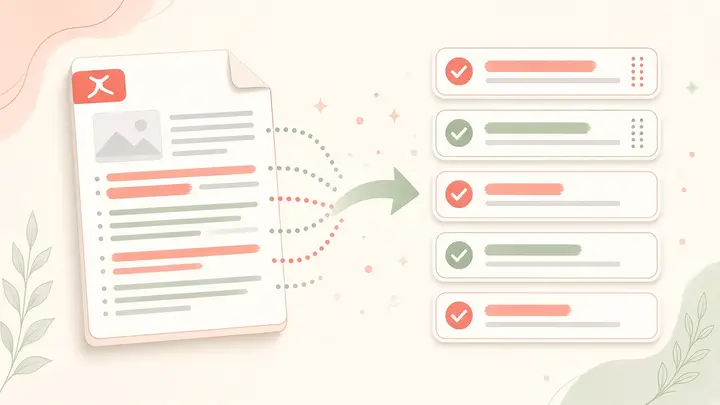
About Merge PDF
Merge homework packs, notes and worksheets into one file for WhatsApp or the neighbourhood print shop. Processing stays on your device — no upload to random merge sites.
Merging runs in your browser. Files are not uploaded to Mentr servers.
Why tutors and parents merge PDFs every week
A typical tuition week produces scattered files: a worksheet PDF from the tutor, a notes export from school, and phone scans of homework. Sending four attachments on WhatsApp creates confusion — parents miss a page, students open the wrong file in class, and print shops charge for sorting. One merged PDF is a single source of truth for the session.
Merging also helps before board exams. Revision packs across chapters become one printable booklet. Tutors who teach multiple siblings can keep each child’s pack separate by merging only that week’s materials, then compressing if WhatsApp rejects the size.
Private merge vs uploading to random sites
Many “free merge PDF” sites ask you to upload documents to a remote server. For school work, report cards, and answer keys, that is an unnecessary risk. Mentr Merge PDF uses browser-side libraries so bytes never leave your device. You still get a downloadable combined file — without creating an account.
If the merged file is still large, open Compress PDF next. If you only needed a few pages from a big scan, use Split PDF first, then merge the pieces you care about.
पीडीएफ मर्ज — WhatsApp होमवर्क के लिए
ट्यूशन और स्कूल का काम अक्सर कई PDF में बिखरा होता है। एक मर्ज्ड फ़ाइल WhatsApp पर भेजना आसान है और प्रिंट शॉप पर पेज ग़लत नहीं लगते। Mentr पर मर्ज आपके ब्राउज़र में होता है — फाइल सर्वर पर अपलोड नहीं होती।
होमवर्क पैक तैयार होने के बाद अगर बच्चे को मदद चाहिए, Find a tutor से verified शिक्षक खोजें।
How to use Merge PDF
- Drop two or more PDFs.
- Reorder with arrows.
- Merge & download.
Common use cases
- Weekly homework packs for parents
- Board revision booklets
- Tuition session handouts
Practical tips
- Order files before merging — first file becomes the first pages.
- Name the download something clear (e.g. Class7-Maths-Week12.pdf).
- Compress after merge if WhatsApp or a portal rejects the size.
- Keep originals until the parent or student confirms receipt.
Longer guide
Prefer a full walkthrough? Read the guide, then return here to use the tool free.
Read the Merge PDF guide →Frequently asked questions
Search privacy, pricing, WhatsApp, and how-to answers
Do you upload my PDFs?+
No. Merging runs in your browser.
What order do pages appear in after merge?+
Pages follow the order of files in the list, top to bottom. Use the arrows to reorder before you click Merge & download.
Can I merge password-protected PDFs?+
Encrypted PDFs may fail to load. Remove the password in a trusted PDF reader first, then merge — still on your device.
Do I need a Mentr account to use this tool?+
No. Every Mentr Tool works without login. Accounts are optional if you later want to find a tutor, enroll in Learn, or list as faculty.
Are Mentr Tools really free?+
Yes. Tools are free forever with no coins, premium packs, or upload limits set by us. Your device memory is the only practical limit.
Does Mentr store my files?+
No. Processing runs in your browser. We do not upload homework PDFs, photos, or essay text to Mentr servers for these tools.
Will this page show ads?+
Public tool and guide pages may show Google AdSense ads. Ads do not change how the tool works or which tutors appear in search.
Related tools
Stay on Mentr — open the next utility without leaving the site
Compress PDF
PopularPDF
Shrink PDF size for WhatsApp (≈16 MB limit), email, or school portals — private.
PrivateOpenFree Background Remover
PopularPDF
Remove image backgrounds and download a transparent PNG — free forever, no watermark, no signup.
PrivateOpenImages to PDF
PopularPDF
Turn JPG / PNG homework notebook photos into one PDF for WhatsApp.
PrivateOpenExtract text from PDF
PDF
Copy text out of a typed PDF for notes, quizzes, or Docs.
PrivateOpen