
About Free Background Remover
Upload a photo, remove the background on your device, preview the transparent result, and download a PNG. Free forever with no watermark and no mandatory signup. Processing is private: your image never leaves this browser. Built as a dedicated utility while remove.bg’s standalone site moves into Canva (shutdown announced for 1 December 2026).
Private processing on your device. The model loads from Mentr’s CDN into your browser cache — your image never uploads.
Why a free forever cutout tool matters in 2026
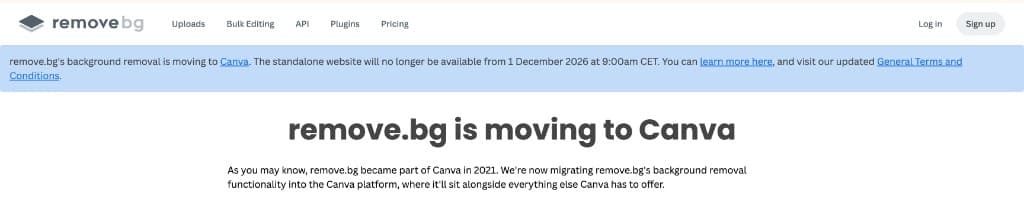
remove.bg announced that its standalone website will shut down on 1 December 2026 as background removal moves into Canva. Many tutors and parents still need a simple upload → transparent PNG flow without joining a full design platform or paying per credit.
Mentr’s answer is an on-device background remover: BiRefNet_lite (MIT), soft alpha matting, browser cache for the ~94 MB model, and no watermark. Quality is produced by continuous transparency and edge cleanup — not by uploading your photo to our GPU.
What “quality” means here
We publish engineering-verified facts: MIT-licensed model, 512×512 inference with soft alpha upsampling, WebGPU with WASM fallback, private Worker pipeline, and free PNG download. We do not invent “20% better than brand X” scores without a documented same-image study.
For portraits, products, and classroom graphics, inspect the before/after slider at zoom. Hair and fur benefit from soft alpha; glass and motion blur remain hard cases for every automatic remover — including ours.
How to use Background remover
- Upload a JPG, PNG, or WEBP image.
- Wait while the model prepares (first visit loads ~94 MB from Mentr, then cached).
- Compare original vs transparent result.
- Download the PNG, or start over with another image.
Common use cases
- Product photos for worksheets
- Student / ID-style cutouts
- Classroom slides and posters
- Homework images without cluttered backgrounds
Practical tips
- Prefer a clear subject–background contrast for best edges.
- First visit downloads the model once; later runs reuse cache.
- Download PNG, then open Images → PDF if you need a print pack.
- Read /technical/bgremover for the full architecture write-up.
Frequently asked questions
Search privacy, pricing, WhatsApp, and how-to answers
Does my image leave my device?+
No. Standard mode runs entirely in your browser. We do not upload your photo to Mentr servers.
Why is the first run slow?+
The background-removal model (~94 MB) loads once from Mentr and is cached in your browser. Later runs skip that download. Phones use a lighter path (smaller canvas, no second pass).
Is there a watermark?+
No. Downloads are transparent PNGs without a Mentr watermark.
Which model do you use?+
BiRefNet_lite (MIT), browser-optimized 512×512 ONNX. Soft alpha matte with light edge cleanup. Full architecture: /technical/bgremover.
Is it free forever?+
Yes for on-device processing — no watermark and no mandatory signup. That is why we run inference in your browser instead of a paid GPU API.
Is this related to remove.bg or Canva?+
No. We cite remove.bg’s public Canva migration announcement for context only. Mentr’s pipeline is an independent MIT BiRefNet_lite browser implementation.
Will it stay free?+
Yes for this on-device Mode A path — that is why inference runs in your browser instead of a metered GPU API.
Do I need a Mentr account to use this tool?+
No. Every Mentr Tool works without login. Accounts are optional if you later want to find a tutor, enroll in Learn, or list as faculty.
Are Mentr Tools really free?+
Yes. Tools are free forever with no coins, premium packs, or upload limits set by us. Your device memory is the only practical limit.
Does Mentr store my files?+
No. Processing runs in your browser. We do not upload homework PDFs, photos, or essay text to Mentr servers for these tools.
Will this page show ads?+
Public tool and guide pages may show Google AdSense ads. Ads do not change how the tool works or which tutors appear in search.
Related tools
Stay on Mentr — open the next utility without leaving the site
Merge PDF
PopularPDF
Combine homework PDFs into one file for WhatsApp or printing — private, in your browser.
PrivateOpenCompress PDF
PopularPDF
Shrink PDF size for WhatsApp (≈16 MB limit), email, or school portals — private.
PrivateOpenImages to PDF
PopularPDF
Turn JPG / PNG homework notebook photos into one PDF for WhatsApp.
PrivateOpenExtract text from PDF
PDF
Copy text out of a typed PDF for notes, quizzes, or Docs.
PrivateOpen